 AISP
How to make a motion comic with AI
Write the story as scenes, fix the characters and art style, illustrate each scene from the character portraits, then add a narrator voice and slow camera moves across each image. In AISP that whole pipeline is the Motion look, at 2 credits per second of finished episode.
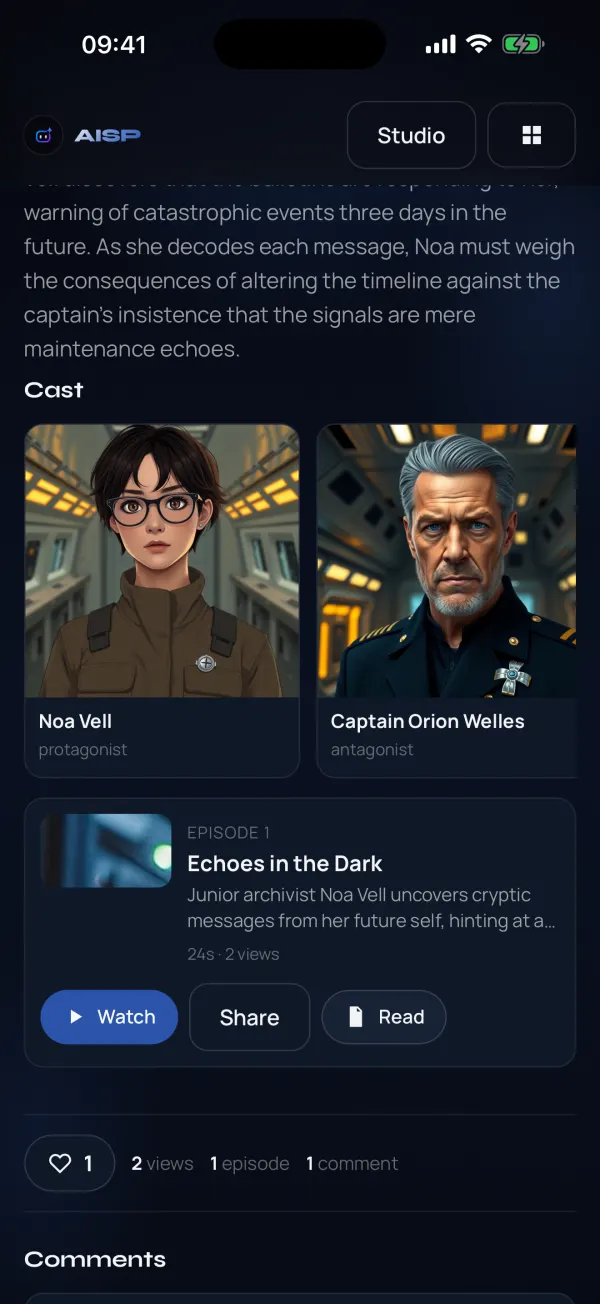
Step by step
- Create a series and choose Cartoon, Anime, 3D Animation or Cinematic as the style.
- Choose the Motion look (it is the default on the Create screen).
- Let the agent write the bible and paint a portrait for each character.
- Read the episode script; the narrator reads the lines you see.
- Render the episode and watch it as a motion comic.
What a motion comic is
A motion comic sits between a comic book and a cartoon: illustrated panels brought to life with camera pans and zooms, sound and voice, but without full character animation. It is cheap to produce compared with animation, which is why it is popular for webtoons, audio dramas with pictures and story channels.
The hard part has always been the illustration: a whole cast drawn consistently across dozens of panels. That is where AI helps, if the characters are pinned down first.
How the Motion look works in AISP
Each scene of the script becomes an illustration seeded from the character portraits, in the style locked when the series was created. A narrator voice reads over it, and the camera moves across the image so the scene feels alive. Scenes can be up to 15 seconds long.
Because the story is a series, episode 2 knows what happened in episode 1, and the same faces come back. Motion costs 2 credits per second of finished episode, plus the per-image brush rate for the scene frames.
Tips for a better motion comic
- Keep scenes short: one beat per panel reads better than one long speech.
- Write strong visual moments into the script; the illustrator draws what the scene describes.
- Use the vertical shape for phone viewers and a webtoon feel.
- Test the story in Storyboard (1 credit per second) before rendering in Motion.
Motion comic vs animation vs webtoon
- Webtoon: vertical comic panels read by scrolling, no sound.
- Motion comic: illustrated panels with camera movement, voice and music, watched like a video.
- Animation: characters move frame by frame, the most expensive to make by hand.
AISP’s Motion look sits in the middle: it plays like a video with narration and camera moves, at a fraction of animation cost, and the vertical shape gives it a webtoon feel on phones.
Questions
Does the motion comic have voices for each character?
Motion uses a narrator voice over the illustrations. If you want characters to speak their own lines, the video tiers generate dialogue and sound with the picture.
Can I use my own drawings?
Not as panels. AISP illustrates every scene itself from its own character portraits.
Product details checked November 2026. Rates and features can change; the app always shows the current cost before you confirm.