 AISP
AI animation generator: turn text into an animated story
Describe the story in text, pick an animation style (3D Animation, Cartoon or Anime), and let the AI write the scenes, design the characters once and animate every scene from those designs. In AISP you can render it as a narrated animation with camera movement (2 credits per second) or as moving footage with dialogue and sound (from 11 credits per second). New accounts get 100 free credits.
Step by step
- Open Create and type your story in a sentence or two.
- Choose a style: 3D Animation, Cartoon or Anime (or Cinematic for a live-action look).
- Pick the look: Motion for narrated animation, or Video for moving footage with dialogue and sound.
- Let the agent write the series bible and paint a portrait for each character.
- Read episode 1’s script and its credit cost, then render it.
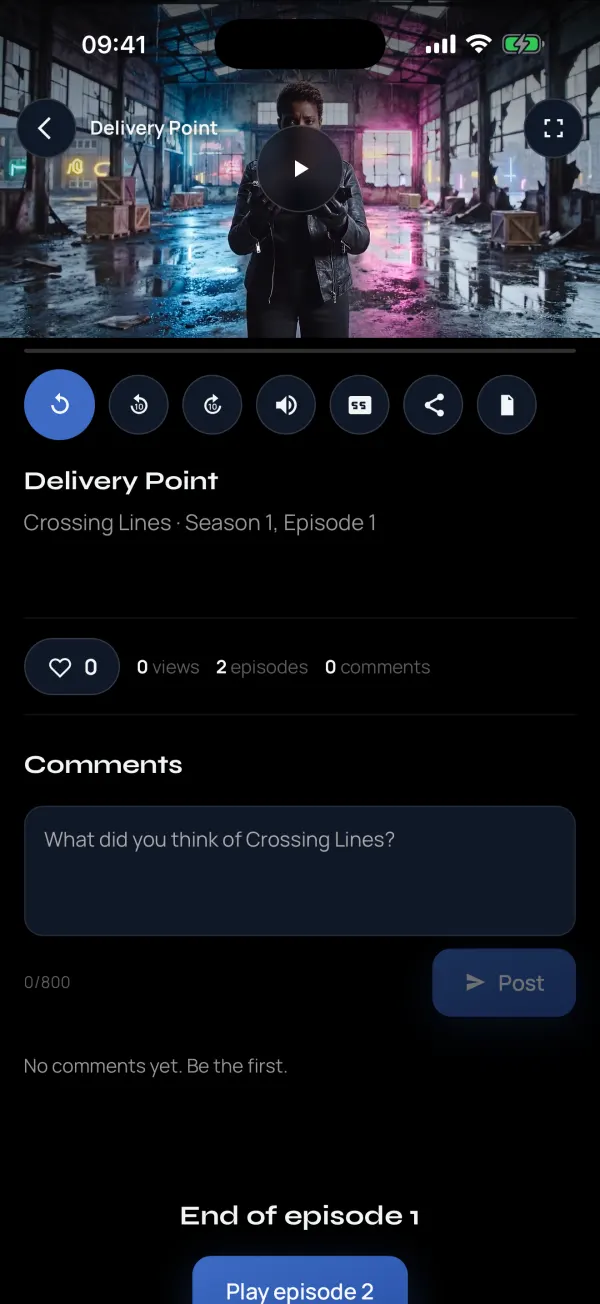
- Watch it, then animate the next episode with the same cast.
Two kinds of AI animation generator
Most AI animation generators are clip makers: one prompt or one image in, a few seconds of motion out. They are great for a single shot and frustrating for a story, because every clip is generated fresh, so the hero looks different in each one.
A story-first animation generator plans before it animates. It writes the scenes, fixes what each character looks like, locks the art style and then animates scene after scene from those decisions. That is how AISP works, and it is why episode 3 still has the same characters as episode 1.
Animation styles
- 3D Animation: rounded, feature-film-style 3D characters and sets.
- Cartoon: bold linework and flat colour, like a 2D TV cartoon.
- Anime: Japanese-animation styling, from slice of life to battle shows.
- Cinematic: photoreal, for a live-action look.
The style is locked when the series is created, so the look cannot drift between episodes.
How much movement you get
- Storyboard (1 credit per second): one illustrated frame per scene with the script on screen. Not animated; the cheapest way to check the story.
- Motion (2 credits per second): illustrated scenes with camera movement and a narrator voice, like a motion comic. Characters do not move on their own.
- Video (Draft 11, Cinema 31, Cinema Pro 53 credits per second): generated moving footage for every scene, with the characters’ own dialogue and sound. Scenes run 5 to 20 seconds.
Each episode is scripted before it renders, so the confirm screen shows the exact cost. Failed scenes are refunded.
Text to animation: writing text that animates well
- Describe actions, not feelings: “the dragon lands on the library roof” animates; “the dragon feels lonely” does not.
- Give each character one visual anchor — a red scarf, round glasses, a battered bag.
- Keep scenes short with one beat each; AI video scenes run up to 20 seconds.
- Write where each scene happens; the location carries into the animation.
Honest limits
- AISP does not animate an image you upload. It designs characters from text and animates its own portraits.
- There is no frame-by-frame control; you describe the scene and the model animates it.
- Finished episodes play and share in AISP by link. There is no export of the video file at the moment.
- It is made for stories, not loops, logos or 3D model rigs.
Questions
Is there a free AI animation generator?
In AISP, writing the story and its series bible is free, and new accounts get 100 free credits, enough to render a first Storyboard episode. Motion and video use more credits per second.
Can I animate a photo or drawing?
Not in AISP. It builds characters from your text descriptions, then animates its own reference portraits so faces stay consistent.
Can I make an animated story for YouTube?
You can make the story in AISP and share each episode by link, or publish it to AISP’s own catalog. Because there is no video file export, you cannot upload the episode to YouTube directly.
Do the animated characters talk?
On the video tiers, yes: Draft, Cinema and Cinema Pro generate dialogue and sound with the picture. Motion uses a narrator voice instead.
Which languages can the animation be in?
Fifteen, including English, Spanish, Portuguese, French, Hindi, Arabic, Japanese and Korean. Scripts are written and voiced in the language you choose.
Product details checked November 2026. Rates and features can change; the app always shows the current cost before you confirm.